Tryvio × Klaviyo Integration | Personalised Try-On Follow-Up for Shopify
What you will learn
A shopper visits your product page.
They use virtual try-on. They see themselves wearing the product. They spend time comparing, considering, and imagining it in their own wardrobe.
Then they leave without buying.
That does not mean the interest was not real. Often, it means the moment needed a little more time—or a relevant reason to come back.
Until now, that try-on moment could disappear as soon as the shopper left your store.
Today, we’re changing that.
Tryvio × Klaviyo is live
Tryvio now integrates with Klaviyo, helping Shopify fashion brands turn try-on engagement into personalised email follow-up.
When a shopper tries on a product with Tryvio but does not purchase, you can use that event to trigger a Klaviyo flow. The follow-up can include the shopper’s actual Tryvio image - showing them wearing the product they were considering.
Not a generic product reminder.
Not another standard abandoned-cart email.
Their product. On them.
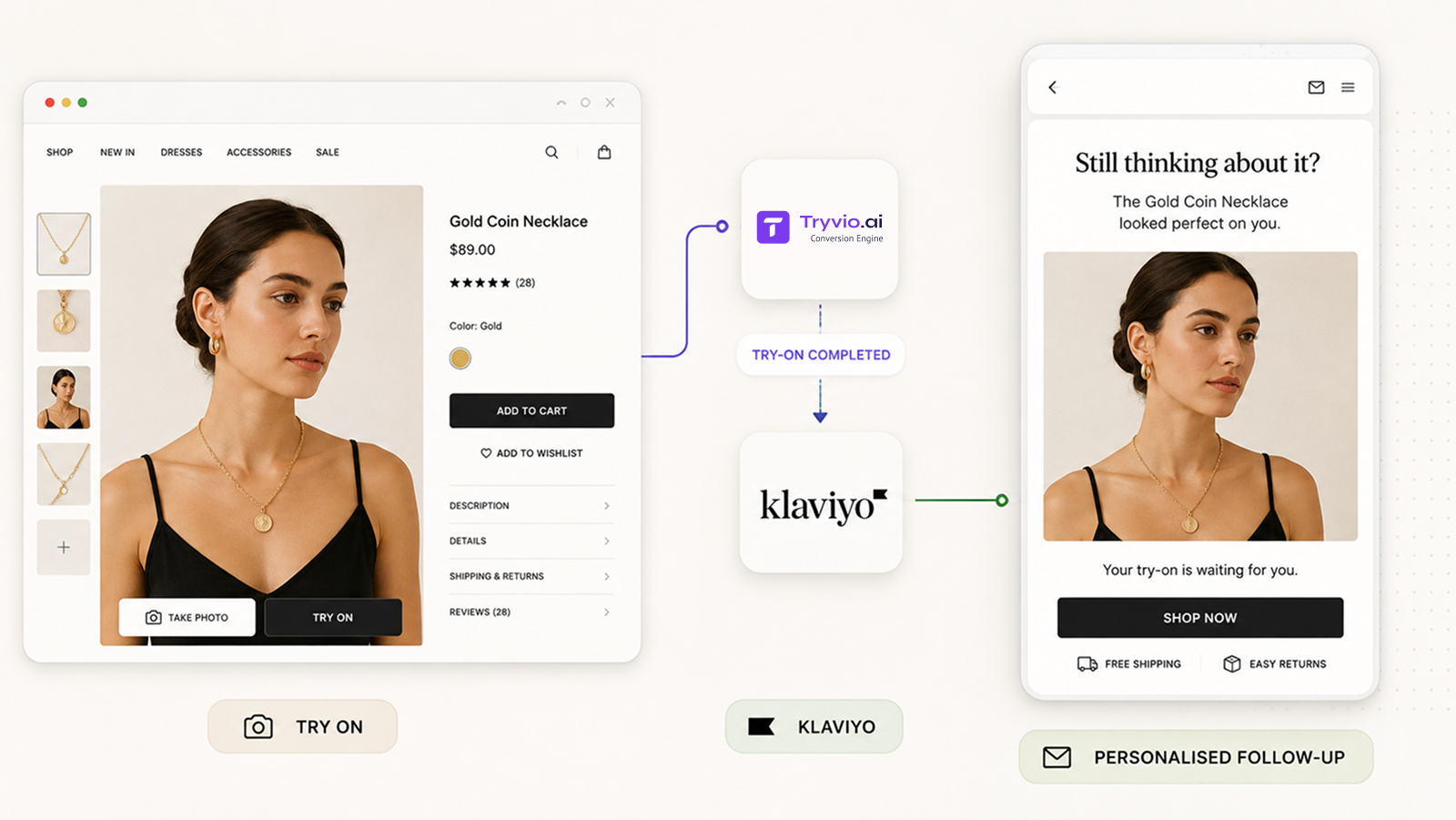
The result is a more relevant way to re-engage shoppers after they leave your store.
The try-on should not be the end of the journey
Virtual try-on creates a high-intent moment.
A shopper has taken an extra step beyond viewing product photography: they have chosen to see the product in their own context. That signal matters.
But product-page engagement alone does not always lead to an immediate purchase. Shoppers may get distracted, compare options, wait for a payday, ask someone else for an opinion, or simply need more time to decide.
The Tryvio × Klaviyo integration gives brands a way to continue that conversation.
Instead of restarting with a broad promotion or a generic reminder, you can bring the shopper back to the exact moment that made the product feel personal: seeing it on themselves.
How the integration works
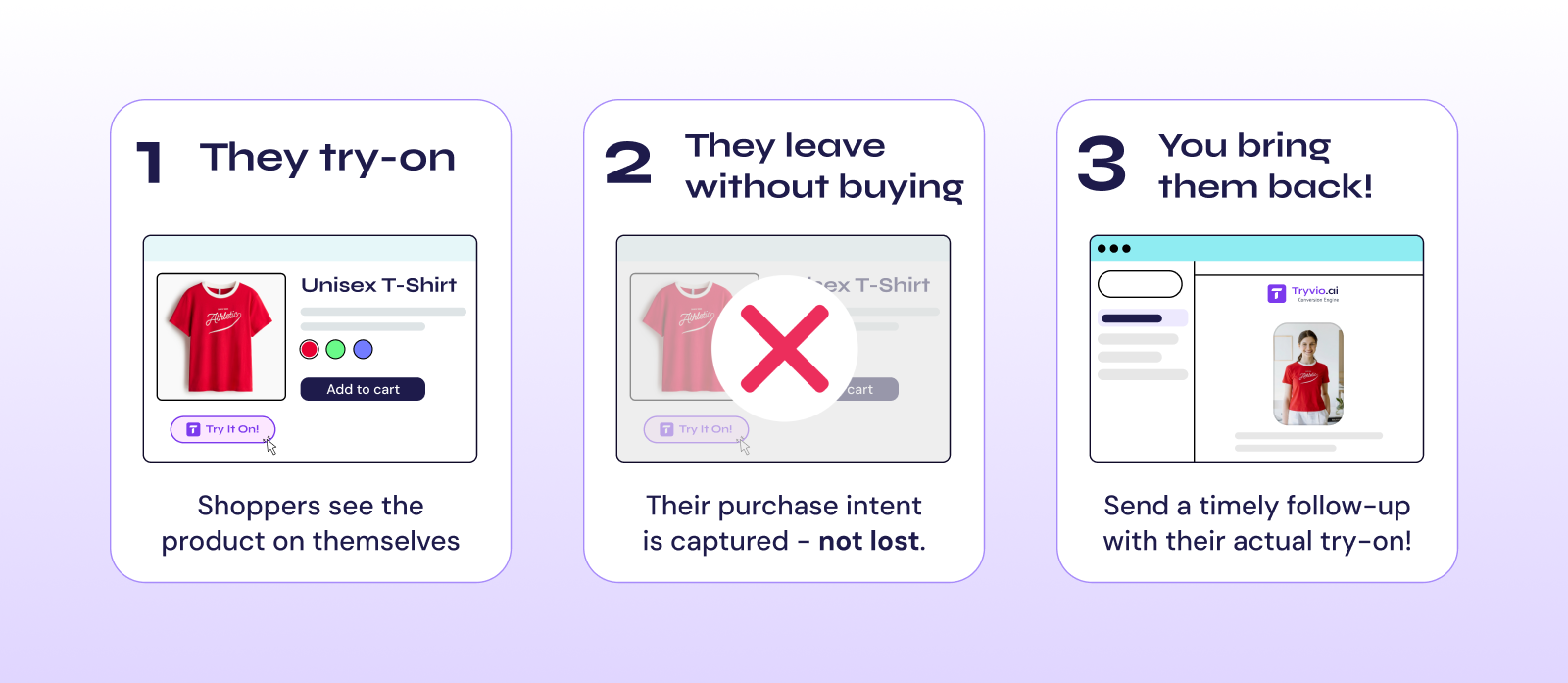
The workflow is simple:
1. A shopper tries on a product: They upload a photo and generate a Tryvio result directly on your Shopify product page.
2. They leave without purchasing: Their try-on engagement becomes a useful signal for your retention strategy.
3. Klaviyo follows up: Create a flow that sends a personalised email containing the shopper’s Tryvio image and a clear route back to the product or checkout.
You decide how and when that follow-up happens.
There is no fixed delay. Your team can choose the timing, flow logic, messaging, audience rules, and any incentives based on your brand, category, and existing lifecycle strategy.
Why a personal try-on image changes the follow-up
Most abandoned-cart and browse-abandonment emails start from the same place: a product someone viewed.
That is useful – but it is not always memorable.
A try-on image has more context. It reminds the shopper not only of the product, but of the moment they saw how it could look on them.
For visual categories such as jewelry, eyewear, watches, apparel, footwear, and accessories, that difference matters. The message moves from “Here is the item you looked at” to “Here is how it looked on you.”
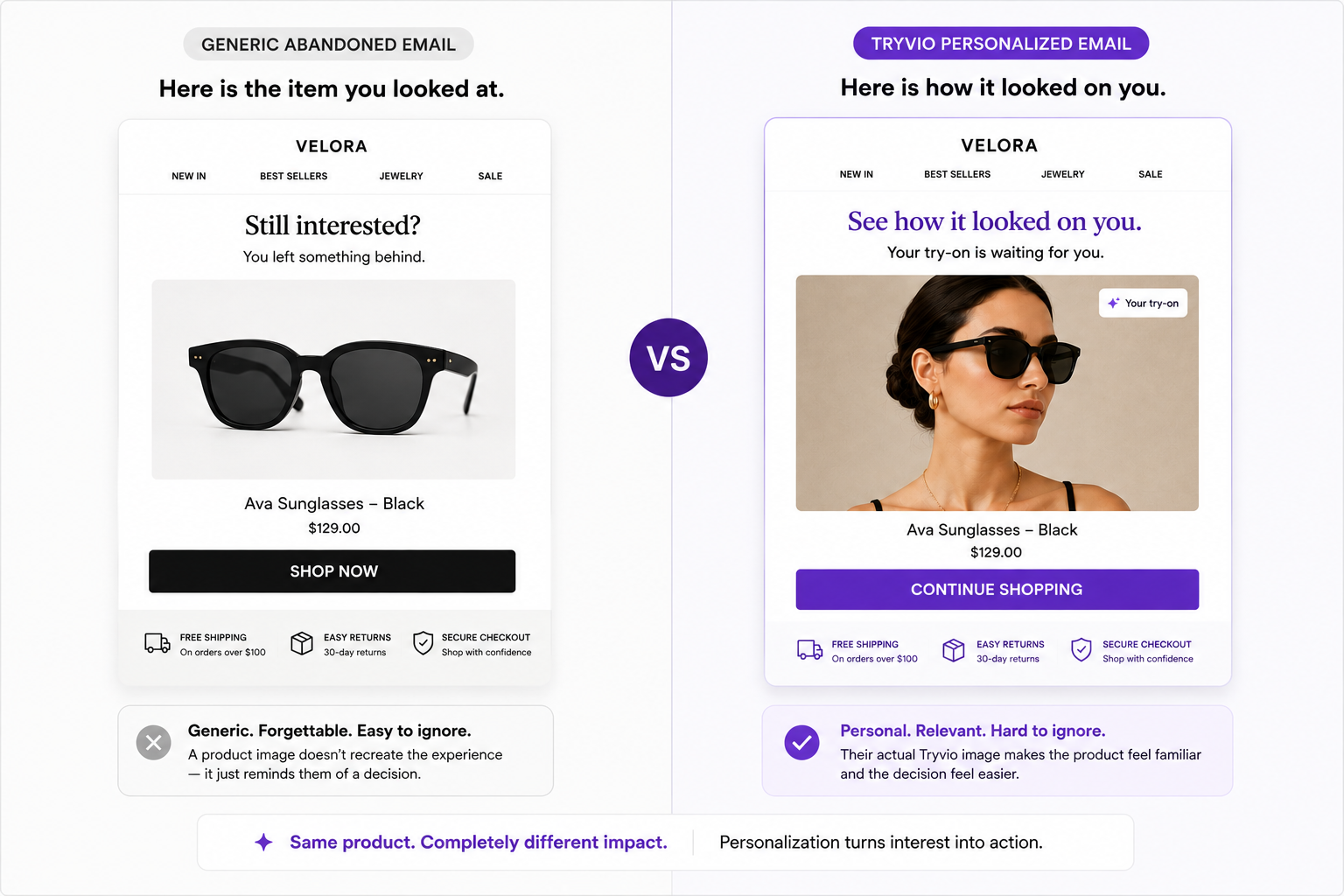
That makes the follow-up feel closer to the customer’s actual shopping experience.
Build the flow around your brand, not a fixed template
Every fashion brand has a different buying cycle. A lower-priced accessory may need a short reminder. A considered purchase, such as a watch or premium piece of jewelry, may benefit from a longer sequence with more education or social proof.
With Tryvio × Klaviyo, you can build the workflow that fits your store.
For example, you could:
- Send a simple reminder after a shopper tries on but does not buy.
- Follow up with a personal try-on image and a link back to the exact product.
- Add customer reviews, styling ideas, or product details in a later message.
- Introduce a time-sensitive offer only after the shopper has had time to consider.
- Create different flows by category, product price, customer segment, or engagement level.
- Exclude customers who have already purchased, so the experience stays relevant.
The integration is not designed to replace your lifecycle strategy. It gives your Klaviyo flows a richer, more personal engagement signal to work with.
From product-page confidence to retention
Tryvio is built around one simple idea: fashion shoppers buy more confidently when they can see products on themselves.
The Klaviyo integration extends that confidence beyond the product page.
A shopper may not be ready to purchase in the first session. But if they have already taken the time to try something on, there is a meaningful opportunity to re-engage them with an experience that reflects what they actually did—not just what they clicked.
That is where virtual try-on becomes more than a visual feature. It becomes a part of your conversion and retention engine.
Get started with Tryvio × Klaviyo
The Tryvio × Klaviyo integration is now available for Shopify fashion brands using Tryvio.
If your customers need to see a product on themselves before they buy, Tryvio helps you create more confident product-page experiences – and now, more relevant follow-up after they leave.
Start your free Tryvio trial on the Shopify App Store →
Or, if you would like help mapping the integration to your existing Klaviyo flows, book a demo with our team →.

Related posts
Tryvio adds AI virtual try-on to your Shopify product pages — installed in minutes, measured on your dashboard.
Install Tryvio →